12 open tabs.
One little popup.
Hotel Ninja compares the exact same hotel room across Booking.com, Expedia, Hotels.com, Agoda and more, and shows you the final price on each. Taxes and fees included.
Add to Chrome, it’s free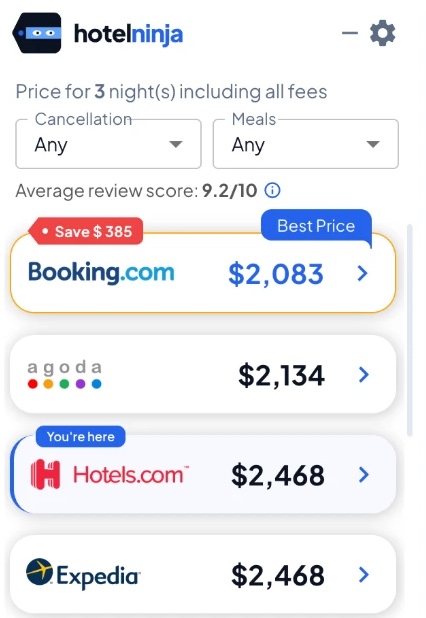
Ninja training takes 10 seconds
Add to Chrome
One click. No account, no email.
Shop like normal
Open a hotel, pick dates and guests.
Catch the best price
Click the winner and book there.
Hotel prices hide. We find them.
Same room, same dates, a different price on every site. Here’s hotel shopping with and without a ninja.
Without The tab marathon
- Search the same dates and guests on every site
- Hunt for the same room type on each one
- Click to checkout just to see taxes and fees
- Forget which price was where
With One little popup
- Open the hotel you like, on the site you like
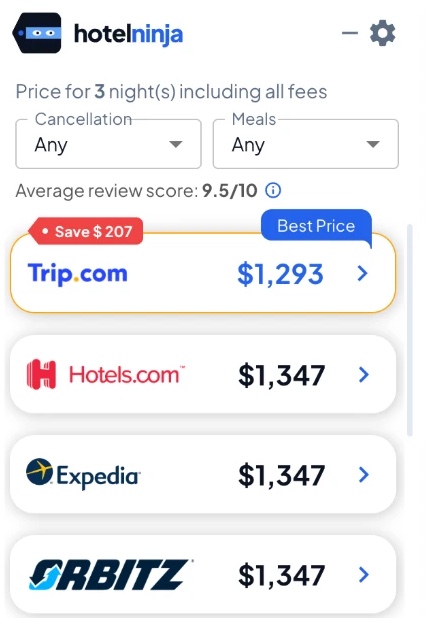
- See the same room on other sites, final price included
- Click the best one and book
Close those 12 tabs
Free, no sign-up, ready in ten seconds.
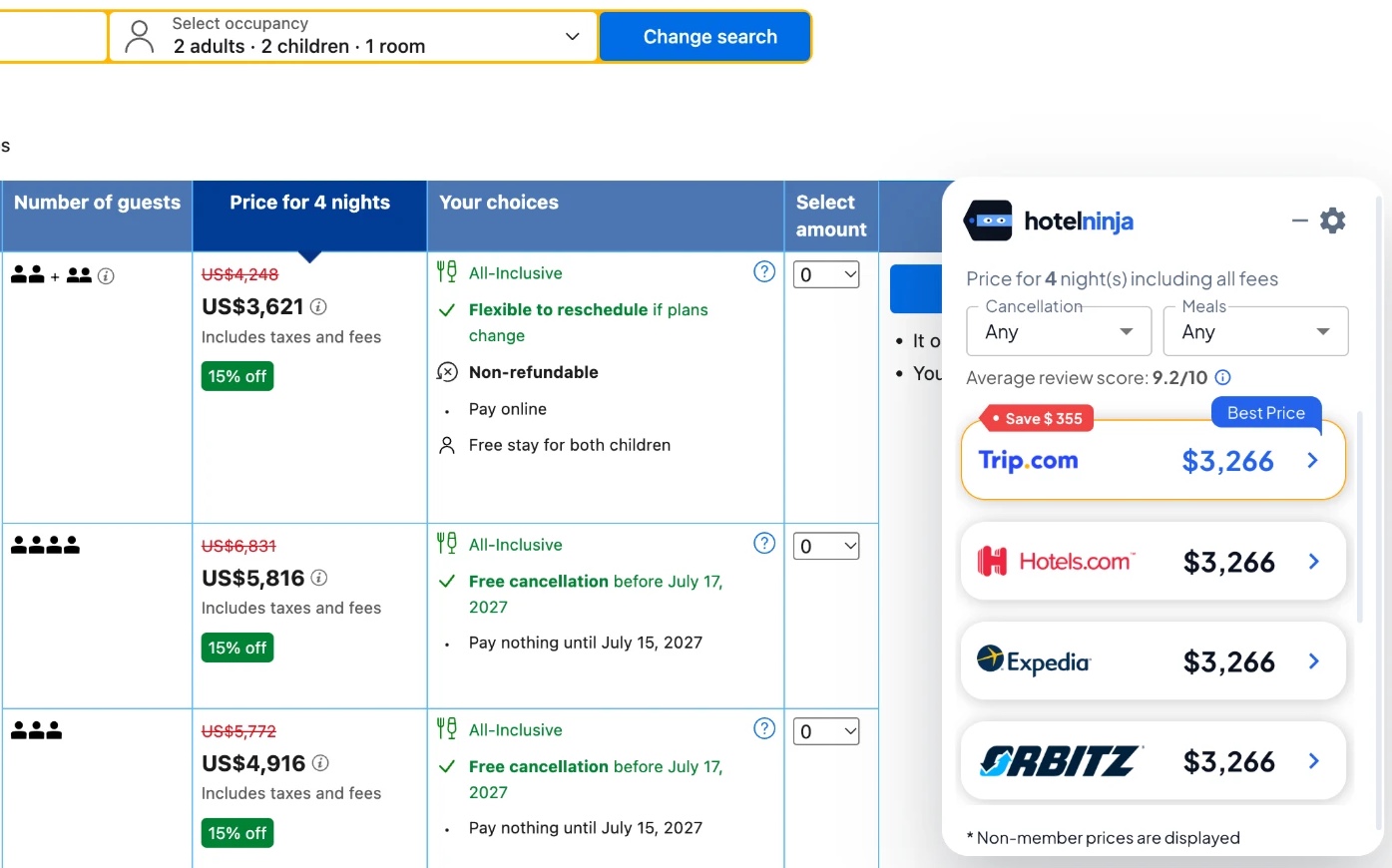
Not the cheapest room in the building. Your room.
We match the exact room, dates and guests you picked, kids’ ages included, so you’re always comparing apples to apples.
Same room, matched
Same hotel, room type, dates and guests on every site.
Family rooms done right
Bigger groups and kids’ ages compared properly across sites.
Real final prices
Taxes and fees included, so there are no surprises at checkout.
Lowest price highlighted
The best comparable price is marked, so you don’t have to squint.
Small popup. Big skills.
Free cancellation, one click
Pick “Free only” right in the popup and every price updates to flexible rates.
Meal plans, one click
Choose breakfast, half board, full board or all-inclusive in the popup and we compare that plan.
Verified guest rating
One average score from verified reviews only.
Multiple currencies
Compare prices for trips anywhere in the world.
Stories from the road
We use Hotel Ninja on our own trips. Here’s what happened.
Strasbourg at Christmas
A week before the trip, our co-founder Talia checked prices one last time, switched hotels, and saved the family close to €1,000.
The Tokyo hotel we wanted
Same hotel, same room, several hundred dollars cheaper on another site. That paid for a lot of ramen.
The family-room trick
In Thailand and Japan, kids often get no bed. Talia searches for five adults first, then switches to the real ages before booking.
Built by travelers who hate overpaying
We’re travelers first. Our founders, Talia Klein Perez and Rony Perez, plan a lot of family trips together, and they kept finding the same room for less on a different site. Checking every site by hand got old fast.
So we built the tool we wished we’d had: fast, free, and on your side.
Fans of the ninja
“It works great. So far I saved $150 in my four bookings.”
Nichole D.“Loved it especially when booking my hotels for a trip to Thailand, and as someone who is not very good at planning trips this was a great tool to use.”
Nili S.“I’m 72 now and I find it difficult searching and comparing prices on different portals. Hotel Ninja on my Chrome helps me find the best possible price for hotels every single time.”
Myron F.“Easy to use and very helpful. Shows immediately the pricing, saved me money on planning my last trip and saved me time for looking and comparing by myself.”
Lucy Y.The ninja reading list
Short, practical guides from our team. Lots of money-saving tricks, zero fluff.
Is Hotel Ninja free?
Yes. Hotel Ninja is free to install and use. No account, no subscription, no catch.
Does Hotel Ninja book the hotel for me?
No. We show you the prices and link you to the booking site you choose. You book and pay there, just like you normally would.
Is Hotel Ninja safe?
Yes. There's no account and no sign-up, and no personal information is required to compare prices. You always book directly on the booking site you pick. Hotel Ninja is rated 5.0 stars on the Chrome Web Store.
Why is the same hotel room cheaper on another booking site?
Booking sites set their own prices, deals and fees for the same room, so the final price often differs from site to site. The only way to know is to compare, which is exactly what our popup does for you.
What's the easiest way to compare hotel prices across booking sites?
Install Hotel Ninja, open a hotel on a booking site you like, and pick your dates and guests. Our popup shows the same room on other sites right on the page, so you can skip the 12 open tabs.
How is Hotel Ninja different from Google Hotels or Trivago?
Hotel Ninja works right on the booking page you're already on. Instead of starting a new search somewhere else, you keep shopping the way you like, and we show the same room, dates and guests on other booking sites, with each site's final checkout price.
Which booking sites does Hotel Ninja compare?
Booking.com, Expedia, Hotels.com, Agoda, Trip.com, Travelocity and Orbitz.
Which browsers does Hotel Ninja work on?
Right now, Hotel Ninja works on Google Chrome on a computer. It isn't available for Safari, Firefox or phones yet.
Why does the hotel price go up at checkout?
Many booking sites add taxes and fees only at the last step. Hotel Ninja shows each site's final checkout price, taxes and fees included, so you see the real number before you click.
Does Hotel Ninja work for family rooms and bigger groups?
Yes. We match the same room type, dates and guests, kids' ages included, so family rooms and larger groups are compared properly across sites.
Do I need to sign up or share personal information?
No. There's no account and no sign-up, and no personal information is required to compare prices.
How does Hotel Ninja make money if it's free?
When you book through one of our links, the booking site may pay us a small commission. It costs you nothing extra, and it keeps Hotel Ninja free.
Your next hotel is probably cheaper somewhere else
Find out in seconds. Free, no sign-up, works on the sites you already use.
Add to Chrome, it’s free